Shutter speed is one of the fundamental pillars in photography and one of three members in the exposure triangle framework, which helps ensure a photo is properly exposed. It controls how long the camera spends taking a photo and the type of motion you capture in your image, so it is critical to have a firm understanding of what it is, how it works, and when to use it.
What is a Shutter?
A shutter is a type of curtain that is located in front of the camera sensor and usually remains closed until you take a photo. All cameras have a shutter mechanism that exposes the sensor to light for a set amount of time. The shutter opens to begin the exposure and then closes to end it. It acts like a gatekeeper controlling the amount of light that hits the sensor.
A shutter can be one of two main types: a mechanical shutter or an electronic shutter. Mechanical shutters are physical devices that have two “curtains” or thin sheets with a gap in the middle. As these “curtains” slide across the sensor light hits the image sensor and then appears in your image. Most DSLR (Digital single-lens reflex) cameras feature this kind of shutter.
Electronic shutters switch the sensor itself on and off electronically rather than shielding it with a physical shutter mechanism.
These days most mirrorless cameras possess both a mechanical and electronic shutter giving you the ability to decide which you want to use, as they naturally have their own strengths and weaknesses.
What is Shutter Speed?
Shutter speed is the length of time the shutter is allowed to be open. Or, in other words, it is the length of time your camera spends to take a picture. Shutter speed controls the motion that will be caught and affects the exposure of the image.
Shutter speed is measured in seconds and fractions of a second following a sequence like this:
“ 5”, 2”, 1”, 1/2, 1/4, 1/8, 1/15, 1/30, 1/60, 1/125, 1/250, 1/500…”
As you move from the left to the right, the shutter becomes faster and the amount of light being let in will be consecutively less. For example, 1/2 indicates half of a second while 1/2000 indicates one-two-thousandth of a second, which is extremely quick- less than a blink of an eye. The bigger the number in the denominator (the number under the fraction bar or slash) the faster the shutter speed and the less light that will hit the camera’s sensor. The distance between one shutter speed time and another is called an exposure stop.
With the new mirrorless cameras you can shoot anything from 1/8000th of a second (extremely fast) to 900 seconds (extremely long). Most DSLRs possess a wide range of shutter speeds too-just not that extreme.
Shutter speed is usually referred to in the terms of how “fast” or “slow” it is and, since the speed of the shutter drastically affects your image, it is crucial to grasp the application and meaning of these terms.
Typically, a “fast” shutter speed is whatever time it takes to freeze the action or motion. An exact and proper shutter speed is entirely dependent on the subject you are photographing and how fast or slow it is moving. A “slow” or “long” shutter speed is typically 1 second or longer. These shutter speeds are usually used for low-light settings like photographing Northern Lights or the Milky Way. Shutter speeds from 1/100th of a second to 1 second are also considered relatively slow.
How Shutter Speed Affects Exposure
As mentioned above, the speed of your shutter also determines the exposure of your image, because any light that hits the sensor during that designated time is directly transferred to your image.
The slower the shutter speed the brighter the image becomes as the sensor has a long time to gather light to put into the image. Alternately, the faster the shutter speed the darker the image becomes as the sensor has very little time to gather light.
Although not the only thing that affects the exposure of an image- aperture and ISO also contribute to an image’s exposure- shutter speed is still a vital tool for balancing out the brightness of the surrounding light.
For instance, on a bright, sunny day you will have to increase your shutter speed so as not to overexpose the image, but on a cloudy or darker day a longer shutter speed would be necessary to avoid an underexposed image.
How Shutter Speed Affects the Type of Motion Captured
Now that you understand how shutter speed influences image exposure, it is time to learn how shutter speed dictates the type of motion you will capture.
Image motion or motion in photography refers to the way a photo shows movement. It can be shown in one of three things– freezing it sharply, blurring it creatively, or combining both effects.
Simply put, it takes a “fast” shutter speed to “freeze” the motion of the subject and it takes a “slow” shutter speed to “blur” the motion of the subject. (Remember the example of what a “fast” and “slow” shutter speed was earlier? )
However, the term “fast” and “slow” shutter speeds is entirely dependent on the type of subject, the speed of its movements, and even the movement of yourself. A “fast” shutter speed is typically anything that will freeze the motion.
For a bird in flight it may be 1/1000th of a second or faster, for a perched bird or a still animal it may be 1/320th of a second, or for freezing every drop of splashing water it may be 1/1600 of a second.
On the slow end, 1/250th of a second would work for portraits of posing people who are moving very minimally, 1/2 of a second to capture Northern Lights in a dark sky, or 2 to 5 seconds for capturing a smooth water effect.
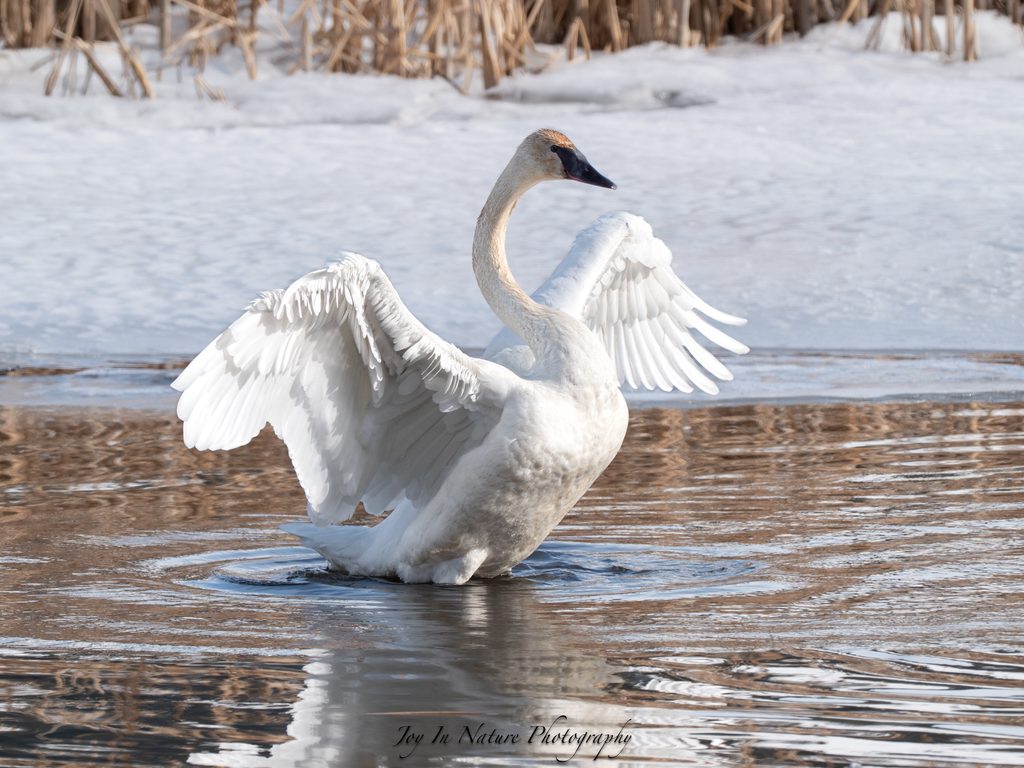
It is important to note that whether it is you moving or your subject, that motion will transfer to the image. This means that your shutter speed also dictates if you can shoot handheld or if you need a tripod. For multi-second shutter speeds it is fundamental to use a tripod instead of handheld to avoid blur and to ensure a razor sharp focus. From 1/2 to 1/30th of a second it is optional but recommended to use a tripod. Anything from 1/60th of a second and up you can safely handhold your camera.
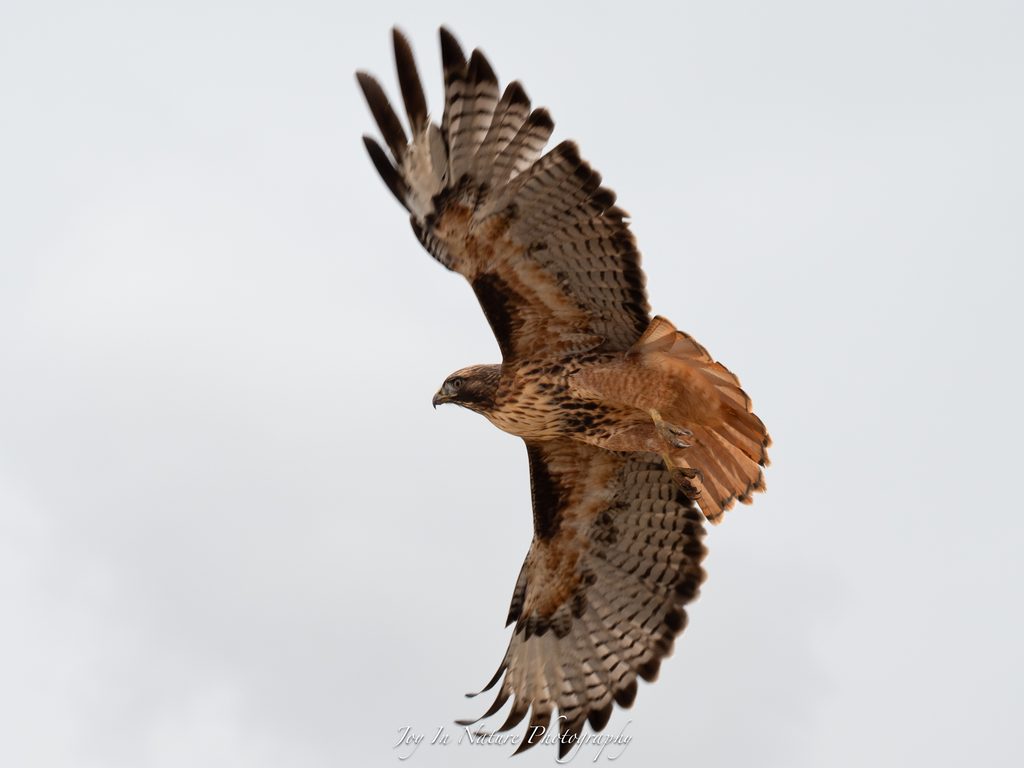
see that it was not fast enough to capture the hawk’s wing tips, which are blurry. However, the
blurry tips help communicate that this bird was in flight, and it is a good example of combining
the two motion techniques.
Shutter speed heavily depends on your subject’s movement, the available light, the effect you want to capture, and the reciprocal rule.
Briefly, the reciprocal rule states that the shutter speed of your camera should be at least the reciprocal of the effective focal length of your lens. Focal length just means the zoom that your lens is at; it is typically measured in millimeters (i.e. 50mm, 400mm, or 600mm lens/zoom).
For example, if you’re shooting with a 400mm lens you should use a speed of at least 1/400 to reduce image blurring from camera shake. A more complex example would be like if you are using a 100-600mm lens with a 1.5 teleconvert (a gadget that goes between the lens and the camera body and magnifies the image made by the lens) and you are shooting at 600mm, your minimum shutter speed should be at least 1/900th of a second (600 x 1.5 = 900).
Generally, the more magnifying the lens the more magnified the shake, unless you raise the shutter speed proportionally with the zoom. Although called the “reciprocal rule”, it is more of a guideline for a minimum shutter speed to avoid blur caused by camera shake. It’s not a hard and fast rule that is forbidden to be broken! Photography is rarely like that!
Where to Find Shutter Speed On Your Camera
In case you don’t know where to locate your shutter speed, I’ll run you through this brief explanation.
If your camera has a top LCD ( Liquid Crystal Display) panel, the shutter speed is typically located at the top left corner of the screen.
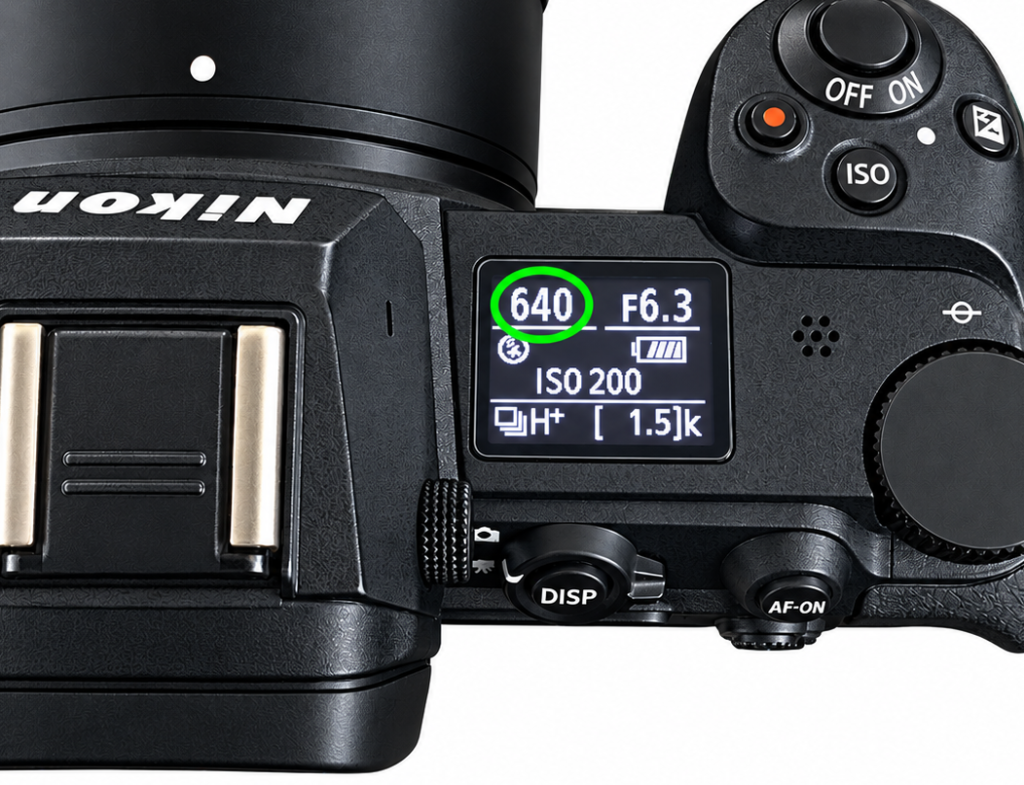
Note that some cameras do not display the shutter speed as a fraction but instead just shows the number under the fraction bar, especially on the top LCD. So if your camera says something like “500” where the shutter speed is supposed to be, just know that it really means 1/500th of a second.
However, if your camera does not have a top LCD, you can look at the viewfinder or the rear LCD, where the shutter speed is usually displayed in the bottom left corner.
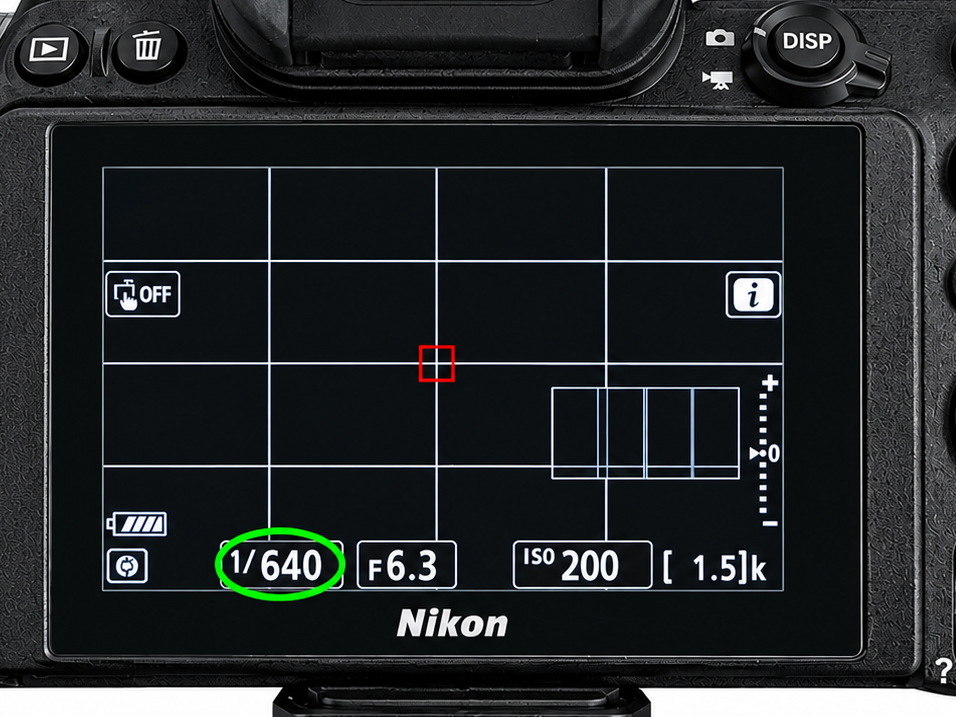
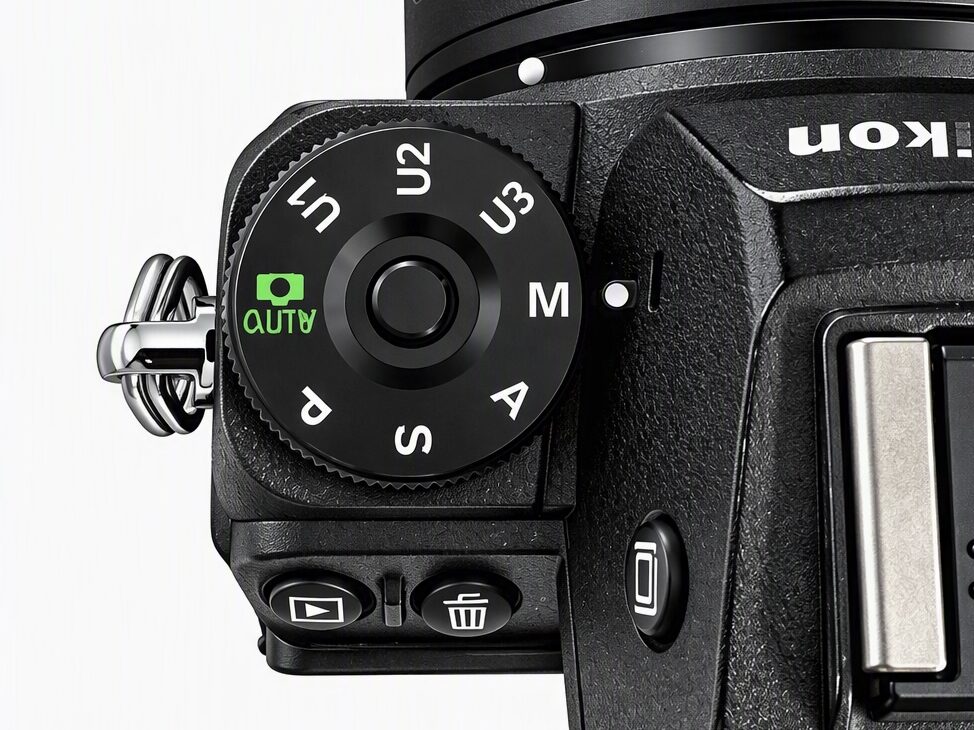
You can set your own shutter speed in Manual Mode and in Shutter Priority Mode, which you typically access by rotating the PSAM on the top of the camera and setting it to “M” or “S” respectively. Also for the sake of learning how shutter speed individually changes the exposure, turn off the Auto ISO, as it would be continually compensating and making the exposure appear the same.
While these examples are good guidelines, shutter speed is one of those things that you just have to learn and experiment with for yourself to understand precisely how it works and what you do and don’t like.
Hopefully this was clear and easy to understand! Please feel free to write to me in the comment section below to ask me questions, tell me if this did or didn’t help you, or what you want me to write about next.
Happy photographing!